Updating
From time to time it may be necessary to update the code that drives the database to add new capabilities or to fix bugs. We want to make this as easy as possible.
When you receive an update .accdb template file, open the file and you will see the standard splash screen and then the startup dialog -
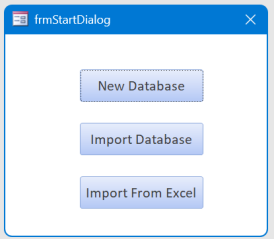
Select Import Database. This will pop-up a standard file selection dialog. Select your existing UnitTracker database and click open. All the data from your existing database will be copied into the updated version. Rename your old database to indicate it's no longer the current database, then rename the new one to the name you've been using. Once you are satisfied everything is correct, you can delete the old copy or archive it somewhere.
The Export to Excel function creates an Excel file that is compatible with the Import from Excel with the four-sheet template. This provides an alternative strategy for updating to a new version or for recovering a last database.